
In the world of music, the learning process never truly ends. Whether you are an educator shaping the next generation, a student discovering your own voice, or a professional perfecting every nuance, we all share the same engine: our breath. At Lung Trainers, we know that technique is only half the story; the other half is community.
That’s why we’ve created the Official Lung Trainers Forum, a space specifically designed for our global community to connect without barriers. We want this to be the place where you solve that technical doubt holding you back, share your practice routines with the IBA, or simply find inspiration from colleagues across the globe. Your experience is invaluable, and we can’t wait to hear from you.
To make sure you don’t miss a thing, we’ve prepared this quick step-by-step guide to get you started today:
Step 1: Access and Registration 🔑
Head over to our official website lungtrainers.com and click on the FORUM tab. A dedicated community window will open.
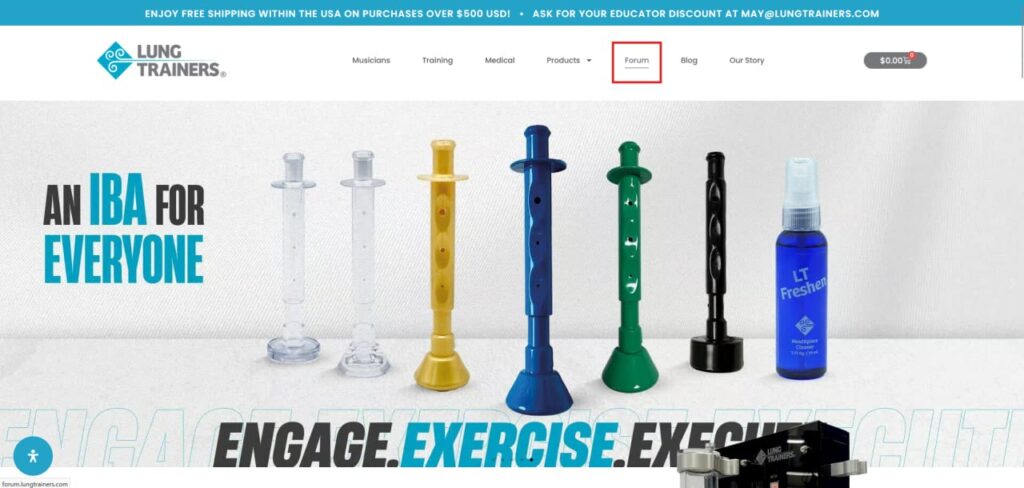
Important: While anyone can read the forum, you must be registered to actively participate.
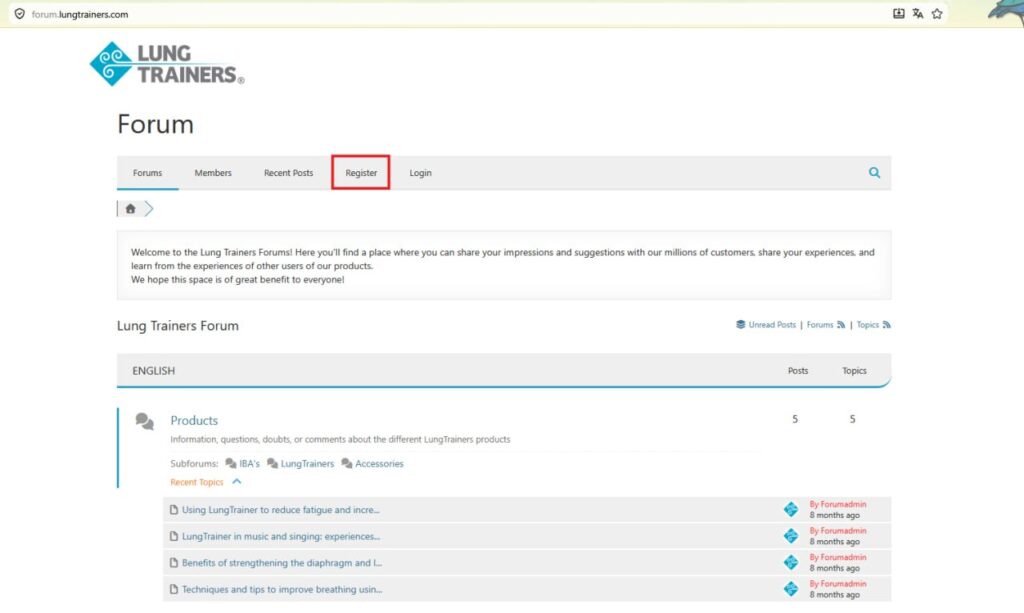
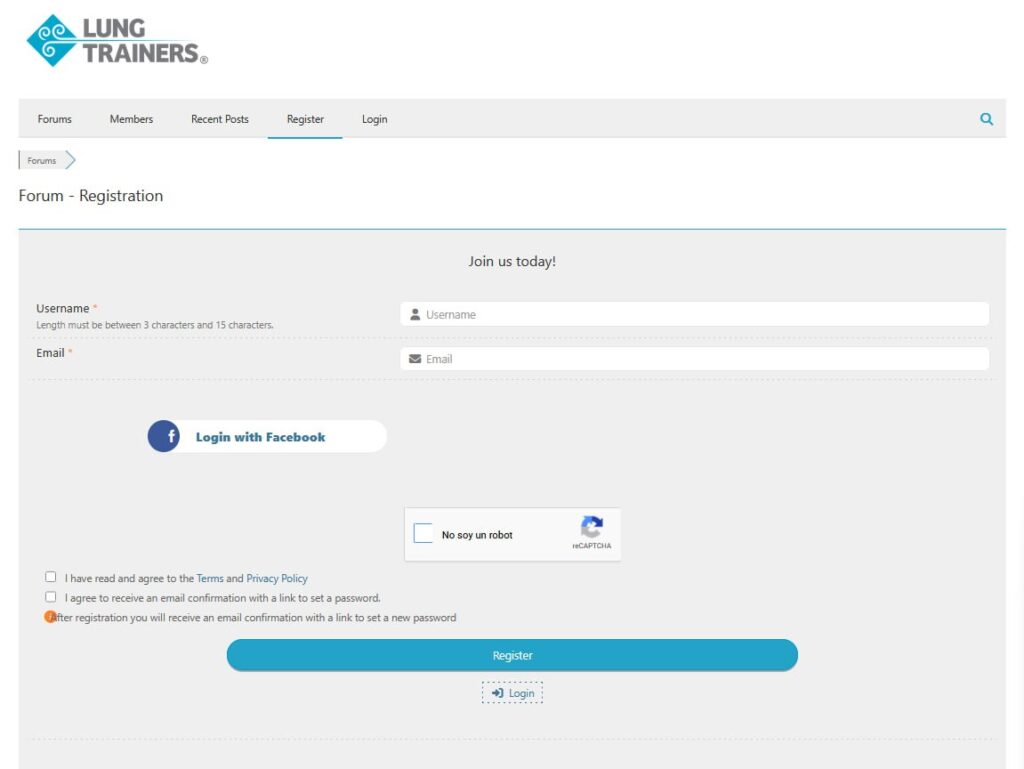
- Select “Register” in the top menu, fill in your details, and accept the terms and conditions. Finally, click the blue “Register” button.
Step 2: Activate Your Account & Create Your Login 📩
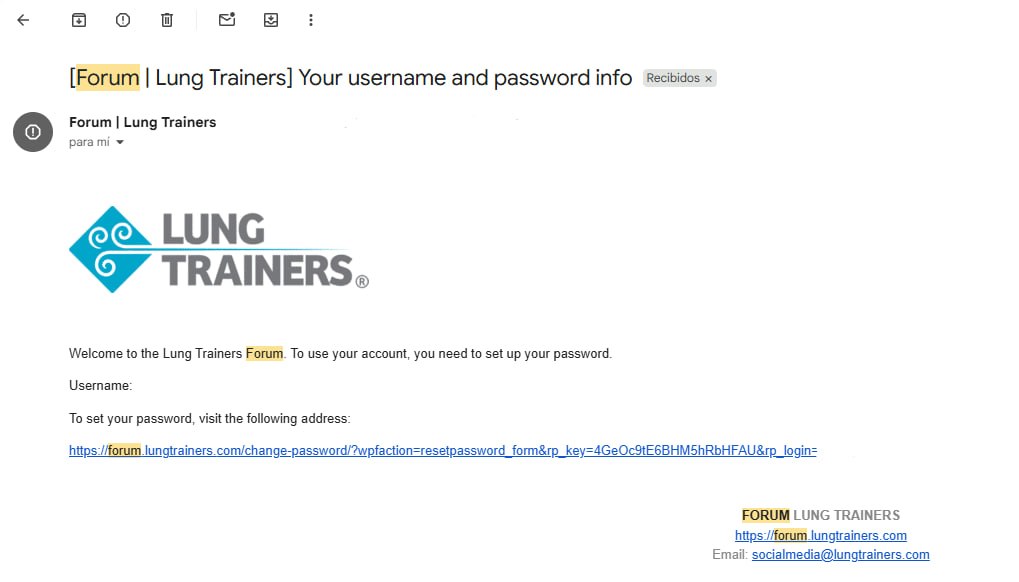
Check your inbox (the same email you used for registration). You will receive a confirmation link; click on it, and it will redirect you to create your personalized password. That’s it! Now, when you log in, you’ll notice that “Register” has been replaced by “My Profile”, indicating you are now an active member.
Step 3: A Forum Without Borders (3 Languages) 🌍
Music is universal, and our forum is too. You can choose to interact in:
- English (Featuring specific sections for Products and Support).
- Spanish
- Portuguese Simply select your preferred language, and you will automatically see the categories and topics available in that tongue.
Step 4: Time to Participate! ✍️
Have a question or a tip to share?
- Explore: Choose the topic or thread that interests you within the categories.
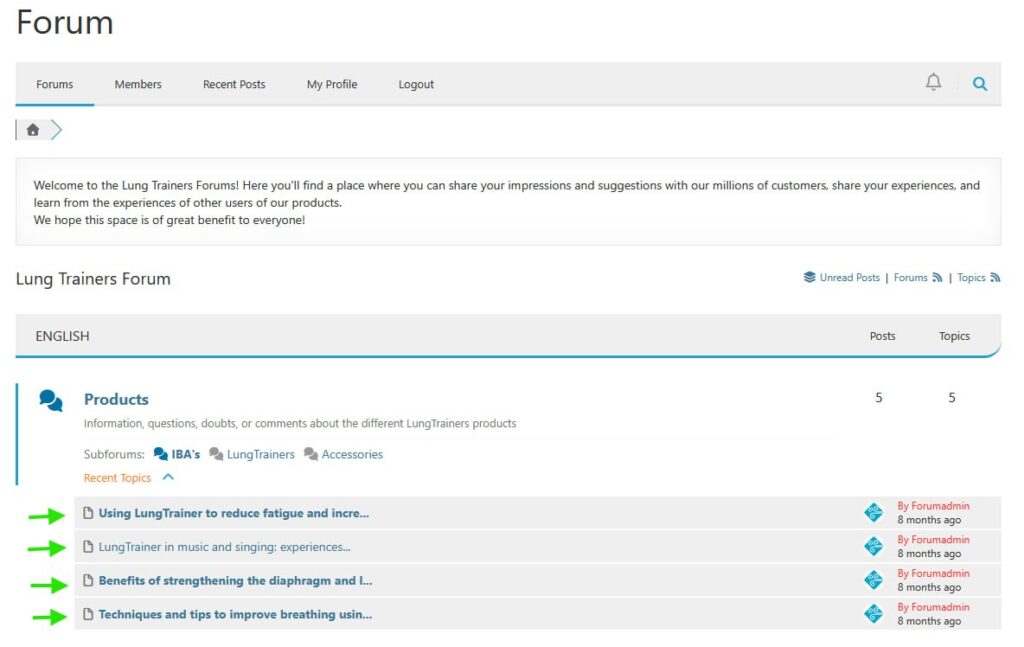
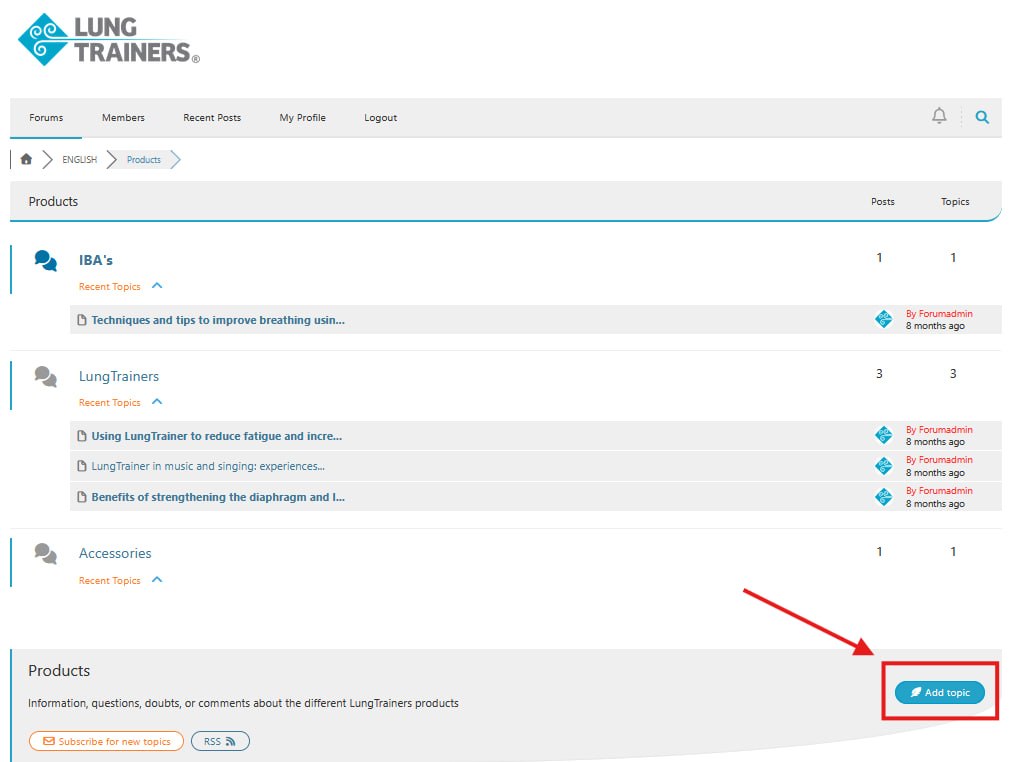
- Create: To start a brand-new discussion, enter the relevant category and select “Add Topic”.
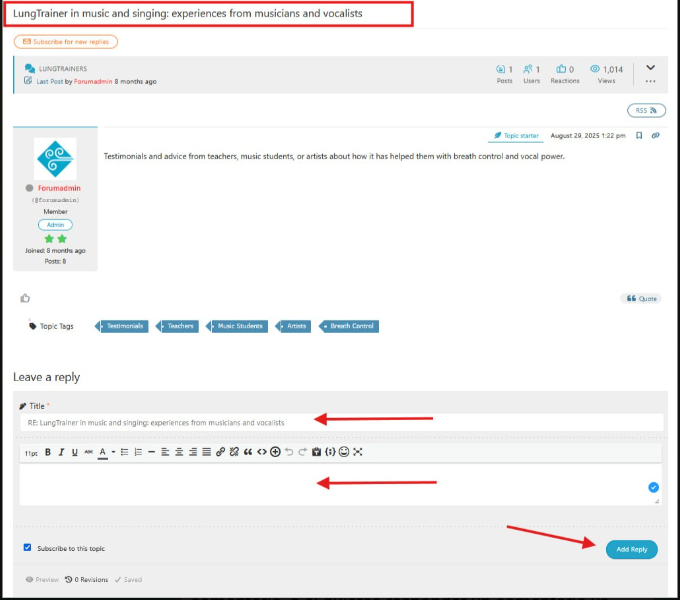
- Interact: To comment on an existing thread or reply to a colleague, simply type your message and click “Add Reply”. The process is the same for both new comments and responding to existing ones.
We are convinced that this forum will become as fundamental to your career as your daily training. Don’t let your questions stay up in the air or your successes go unnoticed; this is the digital stage where mutual support helps us all go further.
If you encounter any issues during registration or want to suggest a new category, please don’t hesitate to reach out. We are here to support you through every breath and every note. Jump in now, say hello to the community, and let us know what you’re working on today!
👉 [BUTTON: TAKE ME TO THE FORUM]